AI Chatbot – Draft Mode ✍️🤖
What is AI Chatbot – Draft Mode?
Draft Mode allows you to use Kittychat’s AI chatbot to generate suggested replies (drafts) instead of automatically sending responses to your customers.
This means:
The AI prepares an answer using your data
You review, edit, and approve the message
The final response is sent only after your confirmation
When Should You Use Draft Mode? 🎯
Draft Mode is especially useful when:
📚 Your AI data is not yet complete
🤝 Every lead or conversation requires a personal touch
💼 You’re handling high-value inquiries (sales, partnerships, bookings)
🧠 You want AI assistance without full automation
It gives you the best of both worlds: AI efficiency + human judgment.
How It Works 🔄
A customer or audience member sends you a DM
📧 You receive an email notification instantly
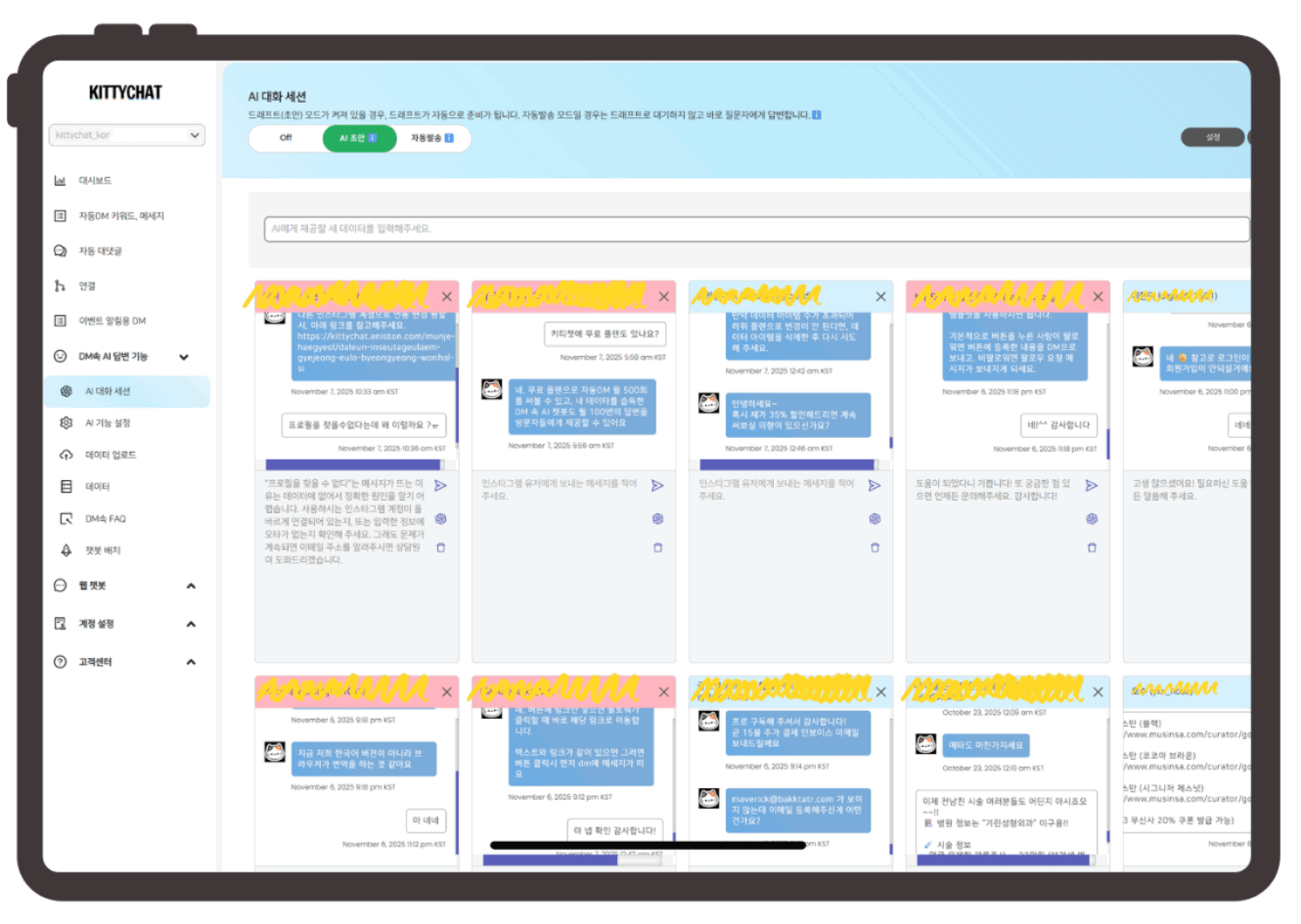
Clicking the button in the email takes you to the AI chat session page
You’ll see:
The customer’s question
A draft reply generated by the AI
✍️ Edit the draft if needed and send the final answer
Improve Your AI While You Reply 📚✨
If you notice missing or unclear information while reviewing a draft:
You can add new data directly from the same screen
This helps improve future AI-generated answers
Your chatbot gets smarter over time with real conversations
Manage All Inquiries in One Place 🧭
All incoming AI chatbot inquiries are displayed in one unified screen
Multiple conversations can be reviewed and handled simultaneously
New incoming messages trigger:
🔔 Sound notification
🌸 Pink highlight on the chat window for visibility
24-Hour Conversation Window & Bulk DM 📢
You’ll see all conversations received within the last 24 hours
Using the Bulk DM feature, you can:
Send follow-ups
Share updates or offers
Continue conversations efficiently within Instagram’s allowed window